
Personal Computer Reference Guide
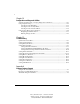
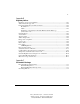
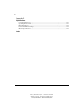
Table Of Contents
- Notice
- Contents
- About This Guide
- Getting Started
- Taking a Look at the Computer
- Using the Keyboard
- Managing Power
- Upgrading Your Computer
- Mobile Expansion Unit (available on select models)
- Using an Internal Modem (available on select models
- Using PC Cards
- Using Audio Features
- Using the Infrared Port
- Securing the Computer
- Intelligent Manageability
- Maintenance, Shipping, and and Travel
- Configuration and Diagnostic Utilities
- Troubleshooting
- Compaq Customer Support
- Regulatory Notices
- Electrostatic Discharge
- Specifications
- Index

x
Writer: J Abercrombie Project: Comments: 113733-001
File Name: A-Frnt.doc Last Saved On: 4/19/99 3:35 PM
COMPAQ CONFIDENTIAL - NEED TO KNOW REQUIRED
Chapter 14
Configuration and Diagnostic Utilities
Selecting Computer Setup or Compaq Diagnostics for Windows.......................................... 14-1
Using Computer Setup........................................................................................................... 14-2
Selecting from the File Menu.......................................................................................... 14-2
Selecting from the Security Menu................................................................................... 14-3
Selecting from the Advanced Menu................................................................................ 14-5
Using Compaq Diagnostics for Windows.............................................................................. 14-6
Displaying System Information ...................................................................................... 14-7
Running a Diagnostic Test.............................................................................................. 14-7
Chapter 15
Troubleshooting
Quick Solutions Checklist......................................................................................................15-1
Solving Audio Problems ........................................................................................................ 15-2
Solving Battery Problems....................................................................................................... 15-4
Solving Drive Problems......................................................................................................... 15-7
Solving Hard Drive Problems......................................................................................... 15-7
Solving CD-ROM and DVD-ROM Drive Problems.......................................................15-8
Solving Diskette and SuperDisk LS-120 Drive Problems............................................. 15-10
Solving Infrared Problems ................................................................................................... 15-11
Solving Keyboard and Pointing Device Problems............................................................... 15-14
Solving Memory Problems...................................................................................................15-15
Solving Modem Problems.................................................................................................... 15-15
Solving PC Card Problems................................................................................................... 15-21
Solving Power Problems...................................................................................................... 15-22
Solving Screen Problems ..................................................................................................... 15-24
Solving USB Problems ........................................................................................................ 15-25
Appendix A
Compaq Customer Support
Using the Worldwide Web...................................................................................................... A-1
Preparing to Call Technical Support ....................................................................................... A-1
Worldwide Telephone Numbers ............................................................................................. A-3