
Installation Manual

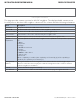

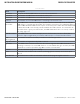

Table Of Contents
- About This Guide
- Overview
- Hardware Overview
- Ethernet Cables
- WEB Management
- Configuration by Web Browser
- About Web-based Management
- Basic Setting
- System Information
- Admin & Password
- Auth Method
- IP Setting
- HTTPS
- SSH
- LLDP
- Backup/Restore Configuration
- Firmware Update
- DHCP Server
- Port Setting
- Port Trunk
- LACP
- Redundancy
- MSTP
- STP
- VLAN
- VLAN Setting Example
- SNMP
- Traffic Prioritization
- Multicast
- Security
- AAA
- RADIUS Overview
- Warning
- System Warning
- Monitor and Diag
- Port Statistic
- System Log Information
- Cable Diagnostics
- SFP Monitor
- Ping
- Syncronization-PTP
- PoE Configuration
- Status
- Factory Defaults
- System Reboot
- Configuration by Web Browser
- Command Line Interface Management
- Technical Specifications

INS_CWGE26FX2TX24MSPOE_REV– 5 Mar 2014 PAGE 28
INSTALLATION AND OPERATION MANUAL CWGE26FX2TX24MSPOE
TECH SUPPORT: 1.888.678.9427
DHCP Dynamic Client List
When the DHCP server function is activated, the system will collect the DHCP client information
and display in here.
DHCP Client List
You can assign the specific IP address which is in the assigned dynamic IP range to the specific
port. When the device is connecting to the port and asks for dynamic IP assigning, the system will
assign the IP address that has been assigned before in the connected device.