
Instruction manual

Page 12 Coby Electronics Corporation
English
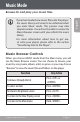
If your music les contain ID3 song information
tags, you will be able to view your tracks by Artist,
Album, or Genre. To view all les (including those
that do not contain ID3 information), select “All
Songs” or use the “Browser” option.
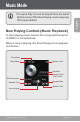
If music is already playing, you will have the addi-
tional option to return to the Now Playing screen.
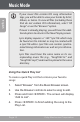
Lyric display requires a “.LRC” lyric le which may
be found on the internet or may be created with
a Lyric le editor. Lyric les can contain synchro-
nized timing information as well as lyric informa-
tion.
Lyric les must have the same name as its cor-
responding music le (e.g., “SongTitle1.lrc” and
“SongTitle1.mp3”) and must be placed in the same
directory.
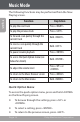
Using the Quick Play List
To create a quick Play List that contains your favorite
songs:
1. Select “Browser” from the Music Browser screen.
2. Use the Browser controls to select a song to add.
3. Press and hold <ENTER>. The screen will display
“Add to List”.
4. Press <ENTER> to nish adding the song to the
Play List.
Music Mode