
User's Manual


CHAPTER 3. USING YOUR COMPUTER
26
as it may not function correctly. Using the touch pad with a dirty or oily
finger may damage the touch pad.
Do not exert too much pressure on the touch pad as doing so may
result in injuries to your finger or wrist.
Using Memory Cards
Your computer comes with one Multi-media Reader slot used to insert a
memory card, such as an SD Card, a Multi-Media Card, a Memory Stick or a
Memory Stick Pro.
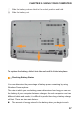
Inserting a memory card
Gently slide the memory card with the arrow facing upward and pointing
toward the Multi-media reader slot. Slide until it clicks into place.
Removing a memory card
Gently pull the memory card out of the Multi-media reader slot.