
User's Manual







CHAPTER2. GETTING TO KNOW YOUR COMPUTER
12
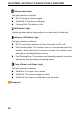
Battery status light
The light operates as follows:
Off: The battery is fully charged.
Solid Red: The battery is charging.
Flashing Red: The battery is low.
HDD Status Light:
Lighting up when data is being written to or read from the hard disk.
Wireless LAN Status Light:
The light operates as follows:
Off: The wireless card does not have the power or RF is off.
Slow Flashing Blue: The wireless client is not associated with the
network. Slow blinking (3-4 seconds interval): the wireless card
powered on and attempting to connect.
Fast Flashing Blue: The wireless card transmitting and/or receiving
data by the rate depending on blinking speed.
Caps & Num Lock Status Light:
The light operates as follows:
Solid Blue: The caps Lock is active.
Solid Red: The numeric keypad is active.
Solid Pink: the Caps Lock and Num Lock are active.
1
5
Keyboard