
User manual



14
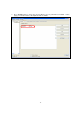
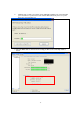
2. Click “Refresh” button to re-search WPS enabled access points nearby. Choose an access
point you want to connect, the click “Select”
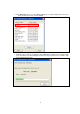
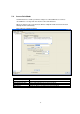
3. It will take few seconds to one minute for the USB Adapter establishes the connection with
your selected Access Point. During this period, your need to open the Access Point’s setup
page and input the PIN code