
User manual



13
Chapter 4. Wi-Fi Protected Setup (WPS)
Wi-Fi Protect Setup (WPS) is an easy way to setup your wireless network security. Make sure your
selected access point is WPS-enabled, and then you can activate the connection.
This Wireless adapter supports two methods to simplify secure network setup, “PIN Input Config
(PIN)” and “Push Button Config (PBC)”.
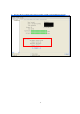
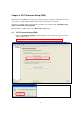
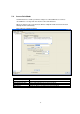
Click into Wireless Utility and go to the “WiFi Protect Setup” page.
4.1. Wi-Fi Protected Setup (WPS)
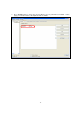
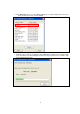
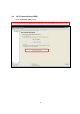
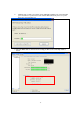
1. Click on “Pin Input Config (PIN)” and click “Yes” to select a specific access point or click
“No” to jump to step 3.
Note: The PIN Number will renew each time you leave this setting page.