
User manual


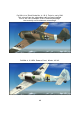


Fig. 3
Dropping the Bomb
- Fuse the bomb using the bomb mode selector switch (Figure 4, Pos. 1).
Any position other than the default “Aus” will do fine.
A red light (Figure 4, Pos. 3) will glow once the bomb is successfully fused.
- Release the bomb by clicking fire button 2 on the stick (Figure 4, Pos. 2)
Using the fire button will also trigger the FS event
“RELEASE_DROPPABLE_OBJECTS”
so it can be used in mission scenarios to do just that. Note Mission Creators can
access the SC250 bomb from the SimObjects\misc folder as a droppable object.
43