
User manual


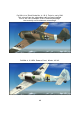


Fig. 2
(Figure 3)
- Open the “Payloads” screen.
- Set Station Weight 1 “Drop tank Pylon” to zero (“Trigger” weight is 70kg/154.3lb).
This will remove the visual drop tank model and it’s pylon. If you leave it at that
your aircraft is now configured to carry no external payload at all.
- Set Station Weight 2 “Bomb Pylon” to at least 49Kg or 108lb depending on the units
set up you have configured your Simulation to use. This will add the weight of the
pylon inclusive apparatuses and makes the bomb and it’s pylon visible.
If you wish add another 250Kg/550lb to simulate the actual bomb weight
NOTE: You won’t see the changes in the preview window.
The bomb will become visible as you start your flight.
42