
Colour Monitor Owner's Manual


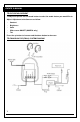


13.PICTURE ADJUSTMENT
To adjust the picture use the mode button to select the mode feature you would like to
Adjust. Adjustment selections are as follow:
● Contrast
● Brightness
● Color
● Wide screen ON/OFF (OHM733 only)
● Tint
Press the up button to increase and the down button to decrease.
14.FM MODULATOR (FM201) SYSTEM DIAGRAM
7
OWNER’S MANUAL