
Owner`s manual






5.
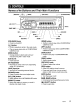
REMOTE
CONTROL
Functions
of
Remote
Control Unit Buttons
* Some buttons
on
the remote have different
functions from those
on
the main unit.
rSignal transmitter
~-:::::::='K
:::::::::::::".
1
[SRC]
----=-I+-I
Qowu
~
Q---!Ii..:-
I
-
[BNO]
TOP
[.11]
[A],[']
II
[1+11.
[~l
[MUTE]
II':'~
0 G
II
[OISP]
II
MUTE./
ISR
DISP
[ISR]
-.J
II 8 Q G [ROM]
[SCN]~~
.PT'-~T~:':::/':,,;,.~I~I
__
[RPT]
Clarion
• Shared
modes
[SRC] button
• Press to turn on power.
Press and hold
(1
sec.) to turn off power.
• Use to change operation mode.
[.],
[T]
buttons
• Increases/decreases volume.
[MUTE] button
• Turns mute function on/off.
[ISR] button
• Recalls ISR station stored in memory.
• Press and hold
(2
sec.) to store current
station
in
ISR memory (radio mode only).
[DISP] button
• Press to select desired display.
• Radio
mode
[BND] button
• Switches reception band.
[~],
[~]
buttons
• Change preset channels.
[SCN] button
• Press for preset scan play.
• Press and hold (2 sec.) for auto store.
• CDIMP31WMAIUSB
modes
[~],
[~]
buttons
• Press to select tracks.
• Press and hold
(1
sec.) for fast-forward/fast-
reverse.
[~II]
button
• Switches between playback and pause.
[SCN] button
• Press for scan play.
• In MP3IWMAlUSB mode, press and hold
(1
sec.) for folder scan play.
[RPT] button
• Press for repeat play.
• In MP3IWMAlUSB mode, press and hold
(1
sec.) for folder repeat play.
[ROM] button
• Press for random play.
• In MP3IWMAlUSB mode, press and hold
(1
sec.) for folder random play.
•
iPod
mode
[
.........
],
[~]
buttons
• Press to select tracks.
• Press and hold
(1
sec.) for fast-forward/fast-
reverse.
[~II]
button
• Switches between playback and pause.
[RPT] button
• Press for repeat play.
[ROM] button
• Press for random play.
• Press and hold
(1
sec.) for all random play.
CZ209 7