
Owner`s manual






Thank you for purchasing this Clarion product.
* Please fully read this owner's manual before operating this equipment.
* Check the contents of the enclosed warranty card and store it
in
a safe place with this manual.
Contents
1.
FEATURES 3
2. PRECAUTIONS 4
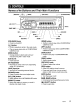
3. CONTROLS 5
Names of the Buttons and Their Main Functions 5
4.
DCP (DETACHABLE CONTROL PANEL) 6
5. REMOTE CONTROL 7
Functions of Remote Control Unit Buttons 7
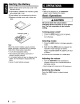
Inserting the Battery 8
6.
OPERATIONS 8
Basic Operations 8
Radio Operations 10
CD/MP3IWMA Operations
11
Operations Common to Each Mode 14
7. ACCESSORIES
15
USB Operations 15
iPod Operations 17
8.
TROUBLESHOOTING
20
9.
ERROR DISPLAYS
21
10. SPECIFICATIONS 22
1.
FEATURES
lusnl
[Q]DO~~
OIOITALAUOIO
I
TEXT
I
IR?3
ID3TAG
1
_.
Plays 1
Windows
-.'"
Media'" J
fa
Madefor
@J
iPod
• USB Audio for iPod
• 4ch/2V RCA Output with Non Fader Volume Control
• Front Panel 3.5mm Auxiliary Input
CZ209
3