
Owner`s manual


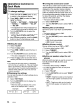



• When a USB memory device is composed of
two or more drives, only one of the drives will
be detected.
• USB memory devices with security functions
are not supported.
• The order in which tracks are recorded may
differ depending on the USB memory device
(the actual playback order may not be the
same as that indicated on your computer's
display).
1······t
..
~.·:'~;~~'~;t'~;~eAonDN·;.}\H:j1~.'i~·:',·,··c;"'1
• Insert and remove a USB memory device
only when the device is not being
accessed. Connecting/disconnecting the
device at the following times may result
in
the loss of data:
• If the USB memory device is removed or
power is disconnected during writing to
the device.
• When the device is subject to static
electricity or electric noise.
• Do not leave a USB memory device
unattended
in
an automobile. Exposure to
direct sunlight or high temperatures may
cause deformation
or
other malfunction of
the USB memory device.
Connecting a USB memory device
1.
Connect the USB memory device to the USB
cable. Press the
[SRC] button to switch the
source to the device.
Playback will begin from the first file
recorded on the device.
*Always insert the device fully into
the
connector. Incomplete connections
may
cause the device not to
be
recognized.
* Depending
on
the
number of tracks recorded,
some of time may be required until
all
tracks
are
read
into the unit.
To
listen to tracks on a connected
USB memory device
1.
Press the [SRC] button to switch sources
When USB memory device is selected,
playback will begin from the location at which
playback was previously stopped.
*
When
a
USB
memory device
is
disconnected
and reconnected, playback will begin
from
the
previous track of the
USB
memory device.
16 CZ209
To
stop play
1.
Press the [SRC] button and switch the
source to something other than the USB
memory device.
2.
Remove the USB memory device from the
USB cable.
Do not remove the USB memory device
while USB mode is selected, as it
may
result
in
loss of or damage to data on the USB
memory device.
Always backup and save important data on
your computer.