
Owner`s manual


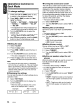



Operations Common to
Each Mode
To change settings
1.
Press and hold the [DISP] button
(1
sec.)
to switch to the adjustment display.
2. Press
[~]
or
[~]
to select the
"item
name"
as follows:
"CLOCK" - "SETTINGS" - "SCRN SVR"
-"SCROLL"
- "DIMMER" - "TEL-SP"
- "TEL-SW"
* The adjustment
item
will
be
displayed for 2
seconds before showing the desired value.
3.
Turn the [ROTARY] knob to select the
desired value.
* When "ENT'
is
flashing
in
the display, press
the
[;~I~]
button
to
adjust setting value.
4.
After completing settings, press the [DISP]
button to return to the previous mode.
• Setting
the
clock
2-1. Select "CLOCK".
3-1. Press the
[;~I~]
button
3-2. Press
[~]
or
[~]
to select the hour
or
minute.
3-3. Turn the [ROTARY] knob to set the time.
*The clock
is
displayed
in
12-hour format.
3-4. Press the
[;~I~]
button to store the time in
memory and return to the previous mode.
Note:
•
You
cannot set the clock when it is displayed
with only the car's ignition
on.
If the car's battery
dies
or
is
removed, or
the
unit
is
removed, the
clock will be reset. If another button/operation
is
selected while setting
the
clock, the clock set
mode
is
canceled.
• Displaying the settings
You can see the state of current settings at any
operation mode.
2-1. Select "SETTINGS".
3-1. Turn the [ROTARY] knob to display the
current settings.
* When the setting
is
selected, the current
state will
be
displayed after 1 second.
• Turning the screen saver
on/off
This unit has a screen saver function in which
various patterns and random characters can be
displayed on the operation status indication
area. This function can be turned on/off. If a
button is pressed while the screen saver is on,
the corresponding operation display is shown
for about 30 seconds, and then the display
returns to the screen saver.
*The factory default setting
is
"ON".
2-1. Select "SCRN SVR".
3-1. Turn the [ROTARY] knob
to
select "ON" or
"OFF".
• Setting title
scroll
method
Set how to scroll in CD-TEXT and MP3IWMA
titles.
*The factory default setting
is
"ON".
2-1. Select "SCROLL".
3-1. Turn the [ROTARY] knob
to
select "ON" or
"OFF".
• ON: Scroll automatically.
• OFF: Scroll 1 time only.
• Setting
dimmer
control
Dimmer control can be set "ON" or "OFF".
*
The
factory default setting
is
"ON".
2-1. Select "DIMMER".
3-1. Turn the [ROTARY] knob to select "ON" or
"OFF".
• Setting car speaker
output
for
cell
phones
When the AUX input jack is used to connect an
AUX BLUETOOTH BB (BLT370) (sold
separately):
* The factory default setting
is
"RIGHT'.
* To output the telephone calls, set cell phone
interrupt
to
"ON".
2-1. Select "TEL-SP".
3-1. Turn the [ROTARY] knob to select "RIGHT"
or "LEFT'.
• RIGHT: Telephone calls can
be
heard on
the front right speaker connected to this
unit.
• LEFT: Telephone calls can be heard on
the front left speaker connected to this
unit.
14
Example:
n1-
II
c:
\I
I
II
'-_"
CZ209
After 1 second:
(
f1-
II