
Operation Manual


Table Of Contents
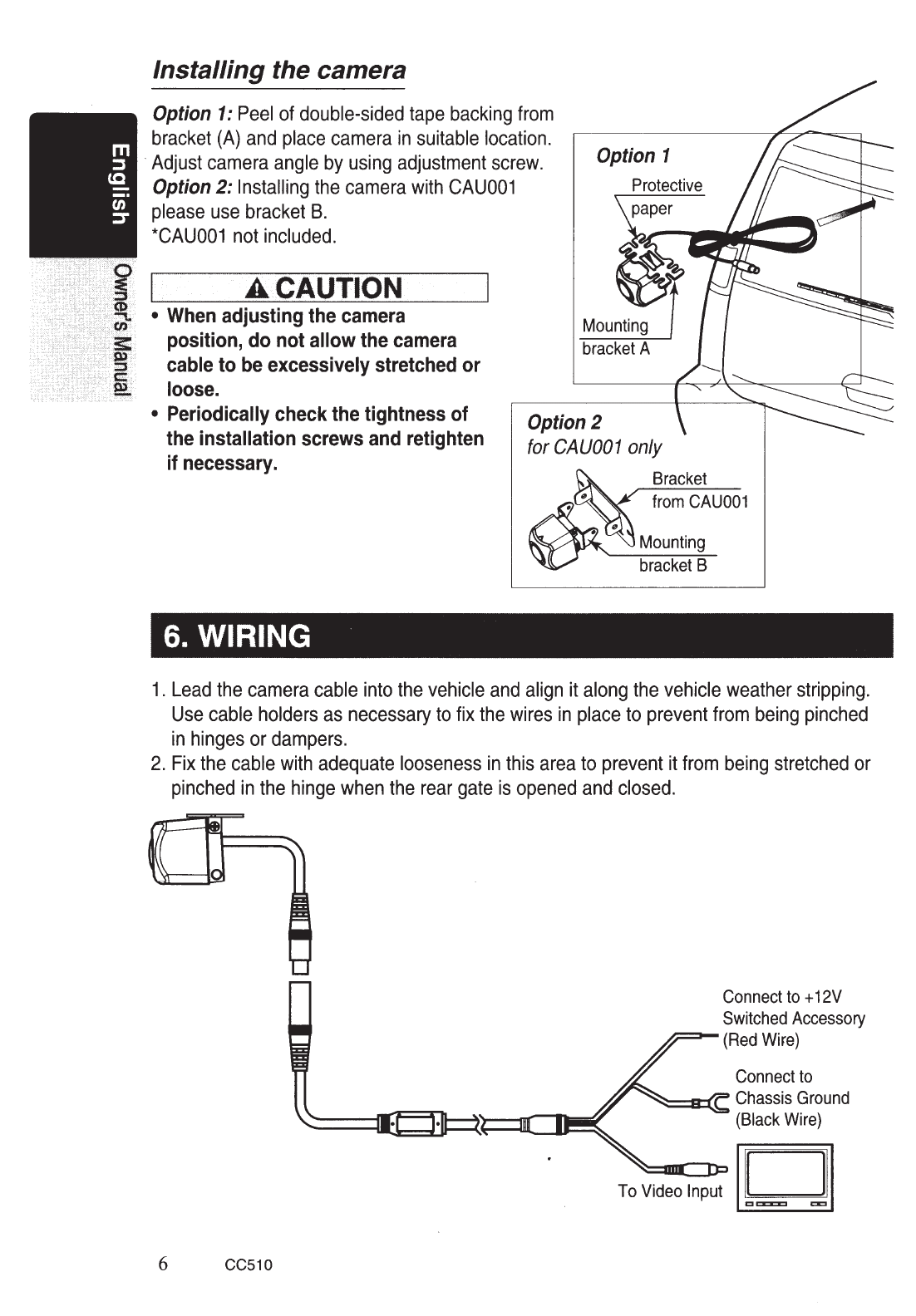
Installing the camera
Option
1:
Peel
of
double-sided
tape
backing
from
bracket
(A)
and
place
camera
in
suitable
location.
·Adjust
camera
angle
by
using
adjustment
screw.
Option
2:
Installing
the
camera
with
CAU001
please
use
bracket
B.
*CAU001
not
included.
AC.AUTION
•
When
adjusting
the
camera
position,
do
not
allow
the
camera
cable
to
be
excessively
stretched
or
loose.
Option
1
Mounting
bracket
A
•
Periodically
check
the
tightness
of
the
installation
screws
and
retighten
if
necessary.
Option
2
6. WIRING
for
CA
UOO
1
only
Bracket
from
CAU001
Mounting
bracket
B
1.
Lead
the
camera
cable
into
the
vehicle
and
align
it
along
the
vehicle
weather
stripping.
Use
cable
holders
as
necessary
to
fix
the
wires
in
place
to
prevent
from
being
pinched
in
hinges
or
dampers.
2.
Fix
the
cable
with
adequate
looseness
in
this
area
to
prevent
it
from
being
stretched
or
pinched
in
the
hinge
when
the
rear
gate
is
opened
and
closed.
6 CC510
Connect
to
+
12V
Switched
Accessory
(Red
Wire)
Connect
to
~=a:::(C
Chassis
Ground
(Black
Wire)