
User guide


Using Your WIP310
Using Web Services
Cisco WIP310 User Guide 68
3
Using Web Services
Use this option to download data services from the Web. When you have a
connection to the Internet, you can download local area business, entertainment,
and other local information.
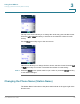
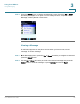
STEP 1 Press the Select button to see the
Settings
menu options. Press the Left or Right
Arrow key to select
Web Services
.
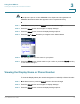
STEP 2 Press the Select button to view the available Web Services.
STEP 3 Press the Up or Down Arrow key to navigate to an available Web Services option.
Using Local Search
Use local search to find listings in your area based on the search criteria you enter.
To use local search:
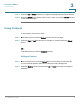
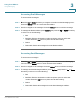
STEP 1 In the Web Services menu, press the Up or Down Arrow key to navigate to
Local
Search
. Press the Select button to see the Local Search screen.
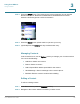
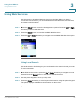
STEP 2 Use the phone keypad to enter your zip code.
STEP 3 Press the Down Arrow key to enter keyword information, using the phone keypad.
The phone displays available local information on the screen.