
User guide


Using Your WIP310
Viewing the Display Name or Phone Number
Cisco WIP310 User Guide 61
3
NOTE If this phone is part of a Cisco SPA9000 Voice System and is registered to a
SPA9000, the Station Name also appears in the Corporate Directory.
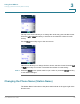
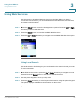
STEP 1 In the Home screen, press the Select button to choose Settings.
STEP 2 Press the Select button and navigate to
Display Settings
.
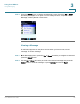
STEP 3 Press the Select button to see the Display Settings options.
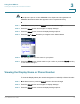
STEP 4 Press the Up or Down Arrow key to navigate to the
Station Name
.
STEP 5 Use the keypad to enter the name for your phone.
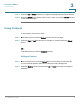
STEP 6 Press the Select button (check mark icon) to confirm or press the Cancel soft key
to exit without changes.
Viewing the Display Name or Phone Number
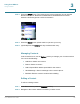
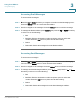
To view the Display Name (the name that appears on Caller ID) or Phone Number.
STEP 1 In the Home screen, press the Select button to choose
Settings
.
STEP 2 Press the Select button and navigate to
Display Settings
.
STEP 3 Press the Select button to see the Display Settings options.