
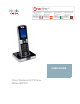
User guide


Preface
Cisco WIP310 User Guide 5
Welcome
Thank you for choosing the Cisco WIP310 Wireless-G IP Phone. The phone allows
you to make inexpensive, yet high-quality, Voice over IP (VoIP) telephone calls
using your Internet connection. The phone supports traditional features, such as
redialing, speed dialing, call forwarding, contacts list, call history, and speaker
phone. The WIP310 Wireless-G IP Phone also supports advanced call features,
such as 3-way call conferencing, call transferring, web services (Local Search,
Stock, and Weather), and more.
NOTE Some advanced call features require Internet Telephone Service Provider (ITSP)
integration and support. For information on these features, check with your ITSP. For
more information about your Internet phone service, please refer to the materials
provided by your ITSP.
Use the instructions in this User Guide to help you connect to your wireless
network and configure your WIP310 Wireless-G IP Phone so that you can start
making calls right away!
About the Phone
The Cisco WIP310 IP phone is part of the Cisco suite of products for small-to-
medium businesses and individuals. This suite of products provides low-cost
Internet telephony solutions, including an IP PBX (SPA9000) to provide business-
class phone services, a line of wired IP phones, and the WIP310 wireless IP
phone.