
User guide


Using Your WIP310
Choosing Your Ringtone
Cisco WIP310 User Guide 56
3
Choosing Your Ringtone
Use this feature to change the ringtone for your phone. Choose “no ring” or select
from any of six pre-programmed ring tones.
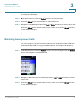
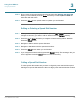
STEP 1 In the Home screen, press the Select button to choose
Settings
.
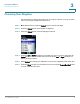
STEP 2 Press the Select button and navigate to
Ringtone
.
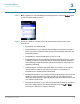
STEP 3 Press the Select button to see the Ringtone options.
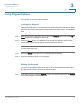
STEP 4 Press the Up or Down Arrow key to navigate to a ring tone choice and press the
Select button to hear a sample of the tone. Press the Left or Right Arrow key to
adjust the ringer volume.
STEP 5 Press Select (left soft key) to enable the ring tone. An X appears in the check box.
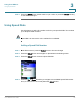
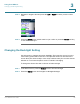
STEP 6 Press the Back soft key to move back one screen. Press the Power/End Call button
to return to the Home screen.