
User guide


Using Your WIP310
Using Speed Dials
Cisco WIP310 User Guide 55
3
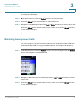
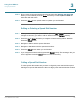
STEP 5 Enter a name for the speed dial, using the keypad. (See Entering Text, page13.)
When you are finished, press the Down Arrow key to enter a phone number to
associate with this name.
STEP 6 Press the Select button (check mark icon) when you are finished.
Editing or Deleting a Speed Dial Number
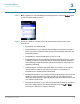
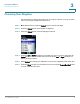
STEP 1 When you are viewing the Speed Dial list, press the Up or Down Arrow key to
navigate to the entry you want to edit or delete. Press the Options soft key.
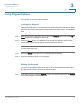
STEP 2 Press the Up or Down Arrow key to navigate to
Remove Entry
,
Edit
or
Edit Dial
.
Press the Select button.
STEP 3 Navigate to
Edit
to edit the speed dial name.
STEP 4 Navigate to
Edit Dial
to edit the speed dial number.
STEP 5 Press the Select button when you are finished.
STEP 6 If you navigated to
Remove Entry
, press OK (Select button). The message, “Are you
sure?” appears. Press the Select button to remove the entry.
Calling a Speed Dial Number
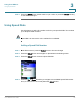
To call a speed dial number that you have configured, press and hold the speed
dial digit. For speed dials with more than one digit, press and hold the last number.