
User guide


Using Your WIP310
Setting Do Not Disturb on Your Phone
Cisco WIP310 User Guide 50
3
Setting Do Not Disturb on Your Phone
This selection allows you to block incoming calls.
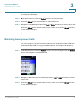
STEP 1 In the Home screen, press the Options soft key. Press the Up or Down Arrow key
to navigate to
Do Not Disturb
.
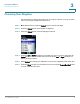
STEP 2 Press the Select button. The Do Not Disturb symbol appears at the top of the
phone screen.
To turn this feature off, follow steps 1 and 2, selecting DND Off.
OR
STEP 1 In the Home screen, press the Select button to choose Settings.
STEP 2 Press the Select button and navigate to
Call Preferences
.
STEP 3 Press the Select button and navigate to
Do Not Disturb
.
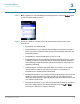
STEP 4 Press the Left or Right Arrow key to select
ON
or
OFF
.
STEP 5 Press the Select button (check mark icon) to confirm or press the Cancel soft key
to exit without changes.
Configuring Call Waiting
If you are in a phone call, call waiting notifies you of another incoming call by
playing a beep and showing the incoming call on the display. You can turn call
waiting on and off.