
User guide




Using Your WIP310
Viewing Missed Calls
Cisco WIP310 User Guide 47
3
STEP 3 Enter the second phone number.
STEP 4 Press the Call button.
STEP 5 When the second party answers, press Options and navigate to
Conference
.
STEP 6 Press the Select button. The conference call icon appears.
To end a conference call:
STEP 1 Press the Up or Down Arrow key to select the party to disconnect.
STEP 2 Press End Call. The selected line is disconnected and you remain in a call with the
other party.
Viewing Missed Calls
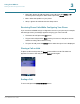
This selection allows you to quickly view any Missed Calls. If there are no missed
calls, this choice does not appear. A phone icon appears on-screen along with a
message of how many calls were missed.