
User guide




Using Your WIP310
Using the Speaker Phone
Cisco WIP310 User Guide 45
3
Using the Speaker Phone
The speaker is on the back of the phone, as shown in Using Your Phone’s
Hardware Features, page15.
To turn the speaker on before or during a call, press the speaker phone button on
the side of the phone.
To turn the speaker on using menus during a call:
STEP 1 Press the Options soft key. Press the Up or Down Arrow key to navigate to
Speaker on
.
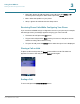
STEP 2 Press the Select button. The speaker symbol appears at the top of the phone
screen.
To turn the speaker off:
STEP 1 Press the Options soft key and press the Up or Down Arrow key to navigate to
Speaker off
.
STEP 2 Press the Select button.
Muting Your Phone
To mute your phone, press the Options soft key and navigate to
Mute
. Press the
Select button.
To unmute your phone, press the Options soft key and navigate to
Unmute
. Press
the Select button.
Adjusting the Call Volume
While in a call, press the Left or Right Arrow key to adjust the call volume. Press the
Select button to save the setting.