
User guide




Using Your WIP310
Making and Receiving Phone Calls
Cisco WIP310 User Guide 42
3
• Using Contacts, page 62
• Using Messaging, page 64
• Using Web Services, page 68
Making and Receiving Phone Calls
To make a phone call:
STEP 1 Dial the number (including any digits that must be used for long distance).
STEP 2 Press the Call button and the call is placed.
Dialing a Number from the Recently Used Numbers List
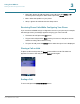
STEP 1 Press the Call button and scroll to a number.
STEP 2 (Optional) To edit the number, press the Select button. Use the Left and Right
Arrow keys to insert numbers and the Back soft key to delete numbers.
STEP 3 Press the Call button.