
User guide




Installing the WIP310
Accessing the Wireless Network
Cisco WIP310 User Guide 39
2
To change the wireless IP setting:
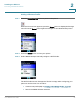
STEP 1 In the Home screen, press the Select button to display the Settings menu.
Navigate to the
Wireless Setup
menu and press the Select button to view your
options.
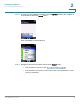
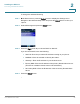
STEP 2 Select IP Settings and press the Select button.
STEP 3 Press the Right Arrow key to choose DHCP or Static IP.
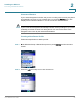
If you choose Static IP, enter the following:
• Static IP—Enter the permanent IP address to assign to your phone.
• NetMask—Enter the netmask to identify the subnet.
• Gateway—Enter the IP address of your wireless router.
• Primary DNS—Enter the IP address of the primary Domain Name Server.
(This server translates domain names to IP addresses.)
• Secondary DNS—Enter the IP address of the secondary Domain Name
Server.
STEP 4 Press the Select button.