
User guide




Installing the WIP310
Accessing the Wireless Network
Cisco WIP310 User Guide 35
2
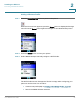
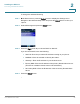
STEP 3 Scroll down and enter a profile name (such as “Home” or “Work”) to identify the
wireless router to which you are connecting.
STEP 4 Enter the name, or SSID, of the wireless router to which you want to connect.
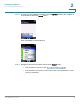
STEP 5 Press the Right Arrow key. Scroll down to choose the type of security:
• None—Press the Select button and the phone automatically connects to
the router.
• WEP (Wired Equivalent Privacy)—See Configuring WEP, page 35.
• WPA/WPA2 Personal—See Configuring WPA/WPA2 Personal, page 36.
Configuring WEP
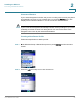
STEP 1 In the Wi-Fi Security Screen, scroll to WEP and press the Right Arrow key.
STEP 2 Press the Right Arrow key to choose the WEP key length (64 or 128 bits).
STEP 3 Press the Down Arrow key and enter the default TX Key (1, 2, 3, or 4).