
User guide




Installing the WIP310
Accessing the Wireless Network
Cisco WIP310 User Guide 32
2
Adding a Wireless Profile
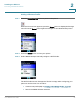
STEP 1 Press the Power/End Call button to power on the phone.
When the Home screen appears, press the Select button to display the Settings
menu. Press the Select button again and navigate to the
Wireless Setup
menu.
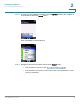
STEP 2 Press the Select button to view your options.
STEP 3 Select
Manual Setup
to manually configure a Wi-Fi Profile.
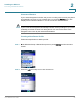
The Wi-Fi Profiles screen list appears. The list is empty when configuring your
phone for the first time. You can either:
• Create a new profile (skip to Creating a New Router Profile, page 34).
• Scan for available wireless networks