
User guide




Installing the WIP310
Accessing the Wireless Network
Cisco WIP310 User Guide 28
2
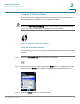
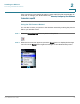
STEP 3 Press the Select button to view your options. Navigate to
Use Wi-Fi Protected
Setup
and press Select.
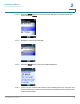
STEP 4 Navigate to
Connect by using PIN
.
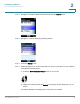
STEP 5 Press the Select button. Your phone’s PIN is displayed.
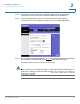
STEP 6 Connect to your router’s web interface using a web browser. Your computer must
be connected to your wireless network. Enter the IP address of the wireless router
in the browser toolbar.