
User guide




Installing the WIP310
Accessing the Wireless Network
Cisco WIP310 User Guide 27
2
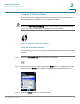
If the connection is successful, the phone creates a Wi-Fi Profile automatically. To
view, edit, or manage your Wi-Fi Profiles, see
Manually Configuring Your Wireless
Connection, page 30
.
Using the PIN Connect Method
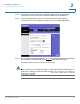
You can also connect your phone to the wireless network by entering the phone’s
PIN on your wireless router.
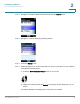
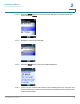
STEP 1 Press the Power/End Call button to power on the phone.
STEP 2 When the Home screen appears, press the Select button to display the Settings
menu. Press the Select button again and navigate to the
Wireless Setup
menu.