
User guide




Installing the WIP310
Accessing the Wireless Network
Cisco WIP310 User Guide 26
2
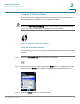
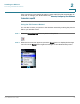
STEP 4 Navigate to
Use Wi-Fi Protected Setup
and press the Select button.
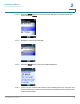
STEP 5 Navigate to
Connect easily by pushing a button
.
STEP 6 Press the Select button.
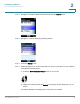
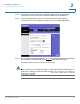
STEP 7 Follow the phone’s on-screen instructions to connect your phone to your network
using Wi-Fi Protected Setup:
a. Press the Wi-Fi Protected Setup button on your router.
b. Within two minutes, press the Select button (green check mark icon) on your
phone.
The phone displays a message if the connection is successful.