
User guide




Installing the WIP310
Before You Begin
Cisco WIP310 User Guide 24
2
Before You Begin
To use your Wireless-G IP Phone, you need the following:
• Access to a Wireless-B or Wireless-G network with Internet access
• An account with an Internet Telephony Service Provider (ITSP)
To use your phone, you need to complete the following tasks:
STEP 1 Connect to a wireless network.
STEP 2 Register your phone with your ITSP. If you received your phone directly from your
ITSP, it should be pre-configured and should perform this step automatically after
you power on the phone.
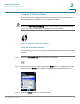
Accessing the Wireless Network
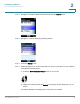
The first time you power on the phone, the phone is not configured to connect to a
network. To connect your phone to your wireless network, you need to set up a
Wireless Profile. There are two ways to configure the Wi-Fi Profile: Automatically
via Wi-Fi Protected Setup
1
and Manually.
NOTE When configuring the phone’s wireless network, you should be as close as
possible to the wireless router. For normal use, the phone should be within 300 feet
(90 m) of the wireless network to connect.
1. The Wi-Fi Protected Setup Mark is a mark of the Wi-Fi Alliance.