
User guide




2
Cisco WIP310 User Guide 21
Installing the WIP310
This chapter contains the following sections:
• Installing the Battery, page 21
• Powering On the Phone, page 23
• Powering Off the Phone, page 23
• Before You Begin, page 24
• Accessing the Wireless Network, page 24
Installing the Battery
To install the battery:
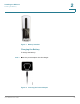
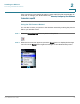
STEP 1 Open the phone’s back battery cover.
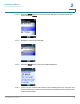
STEP 2 Place the battery so that the metal contacts on the battery touch the metal
contacts in the battery compartment. The battery fits only one way. Do not force.
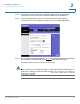
STEP 3 Replace the cover after the battery is installed.