
User guide




Getting to Know Your WIP310
Using Your Phone’s Hardware Features
Cisco WIP310 User Guide 20
1
Understanding Display Messages
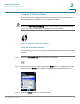
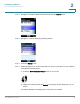
Your phone displays status messages on the screen to indicate phone actions and
results. Some of the common display messages are:
• Acquiring Network—The phone is attempting to connect to a wireless
network.
• Trying to Register—The phone is connected to the wireless network and is
attempting to connect to your Internet Telephony Service Provider (ITSP) to
register your phone.
• Registration Failed—The phone is connected to the wireless network, but
cannot register with your ITSP. The phone must be registered with your
ITSP before use. Registration can fail if:
- Your Internet service is not available to complete the registration.
- Your ITSP’s systems are not responding to the registration request.
- Your registration information is incorrect.
Contact your ITSP for troubleshooting information.