
User guide
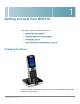


Getting to Know Your WIP310
Using Phone Keys and Buttons
Cisco WIP310 User Guide 12
1
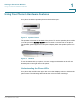
Using Phone Keys and Buttons
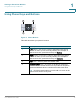
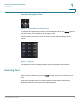
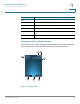
Figure 2 Phone Buttons
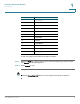
This table describes your phone’s buttons:
Number Description
1 Left soft key—The function of this key
depends on the phone
screen or menu you are currently viewing. For example, in
the Home screen, press this soft key for Options.
2 Right soft key—The function of this key depends on the phone
screen or menu you are currently viewing. For example, in
the Home screen, press this soft key for Contacts.
3 Call button—Used to place and answer calls.
4 Power/End Call button—To power on the phone, press and
hold this button until the screen is lit. To power off the phone,
press and hold this button until the screen becomes dark.
TIP You also press this button to end a call or to return to the
phone Home screen at any time.
1
3
2
4
250777