
User guide



Chapter 3
Using Your WIP310
15
Wireless-G IP Phone
Chapter 3:
Using Your WIP310
The Wireless-G IP Phone supports many features such
as caller ID, call forwarding, call transfer, and 3-way
conferencing, and can store 200 records in its address
book.
Making External Phone Calls
Outgoing Call
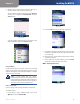
Dial the number (including any digits that must be 1.
used for long distance).
Press the 2. Call button and the call is placed.
Dialing a Number from the Recently Used Num-
bers List
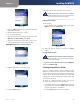
Press the 1. Call button and scroll to a number.
(Optional) To edit the number, press the 2. Select button.
Use the Left and Right Arrow keys to insert numbers
and the Back soft key to delete numbers.
Press the 3. Call button.
Dialing a Number from your Contacts or the Call
History List
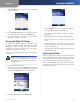
Press the 1. Call button.
Press 2. Options, then navigate to choose:
Contacts • —Select a number from the Contacts list.
Call History • —Select a number from the Call History
list.
Speed Dial • —Select a speed dial.
Star Code • —Select a star code to enter before dialing.
See Using Star Codes on page 26.
Press the 3. Select button.
Press the 4. Call button and the call is placed.
Redialing the Last Called Number
To redial the last called number, in the Home screen, press
the Call button twice.
Receiving Phone Calls
Press the Call button to answer the Phone’s incoming call.
Information about the call appears on the phone’s screen
display.
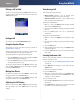
While the phone is ringing, you can also press the Options
soft key and choose one of the following options:
Incoming Call Options.
New Call • —Ignore the call and place a new call. Press
the Down or Up Arrow keys and navigate to New Call
and press the Select button.
Mute • —Mute the speaker on your phone.
Setup • —Ignore the call and enter the Setup menu.
Receiving Phone Calls While Configuring Your
Phone
If you receive a call while using a configuration screen on
your phone (for example, the Settings screen), a message
appears notifying you of the new call.
To answer the call, press the • Call button.
To ignore the call, press the • Back soft key. You return
to the phone screen and the incoming call continues
to ring.
To reject the call, press the • Select button when the
reject icon ( ) is displayed.