
Datasheet







Configuring the Network
NAT
Cisco SRP500 Series Services Ready Platforms Administration Guide (SRP520 Models) 69
5
Port Range Triggering
Use the Port Range Triggering page to allow the SRP to monitor outgoing data for
specific port numbers and dynamically create a forwarding rule to direct returning
traffic to the requesting local client.
Port Range Triggering does not require the local client to use a fixed IP address.
Traffic for any given port can only be forwarded to one local client at a time.
STEP 1 Click Network Setup > NAT> Port Range Triggering. The Port Range Triggering
window opens.
From this page you can view the existing port triggering entries from the Port
Range Triggering List and the view the details about a selected entry.
STEP 2 To edit an existing entry, click the Edit (pencil) icon.
STEP 3 To add a new entry for port range triggering, Click Add Entry.
The Port Range Triggering window opens.
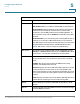
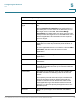
STEP 4 Enter the settings for port range triggering as defined in the Port Range
Triggering Settings table.
STEP 5 Click Submit to save your settings.
IP Address Enter the IP address of the local server that should
receive forwarded traffic.
Enabled Click Enabled to activate this forwarding rule. The
default setting is unchecked (Disabled).
Port Forwarding Settings
Field Description