
Datasheet







Configuring the Network
Routing
Cisco SRP500 Series Services Ready Platforms Administration Guide (SRP520 Models) 65
5
RIP Settings
Field Description
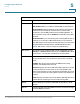
RIP List Interface: Displays the list of interfaces.
RIP Enabled: Select to enable or disable RIP on the interface.
Passive Mode: With the passive mode interface, all receiving
packets are processed as normal and do not send either
multicast or unicast RIP packets except to RIP neighbors. To
select passive mode, select Enabled from the RIP Config Edit
window.
Authentication: If you are sending and receiving RIP Version 2
packets, you can select a RIP authentication on an interface.
The SRP supports two modes of authentication on an interface:
Simple Password Authentication and MD5 Authentication.
NOTE: RIP Version 1 does not support authentication.
RIP Version To limit the types of packets that can be transmitted, choose
Version 1 or Version 2. Alternatively
, choose RIP v1/v2 to allow
both Version 1 and Version 2 packets to be transmitted.
RIP Timer RIP uses timers to regulate its performance. These include a
routing-update timer, a route-timeout timer, and a route-flush
timer.
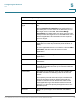
Update: Specify the rate at which the SRP sends routing
updates. The default is 30 seconds.
Timeout: Specify the rate at which the SRP expects to receive
routing updates from each router in the routing table. If this
value is exceeded, the route is declared unreachable. The route
is not removed from the routing table until the route flush timer
expires.
Flush: Specify the maximum period that the SRP will wait for an
update before removing a route from the routing table.
RIP By Select whether you want to enable RIP by interface or by IP
Subnet.
RIP List Displays the RIP settings all SRP interfaces. To edit the settings,
click the Edit (pencil) icon.