
Datasheet






Setting up the Interfaces of the Services Ready Platforms
Setting up the VLAN Interfaces and LAN Ports
Cisco SRP500 Series Services Ready Platforms Administration Guide (SRP520 Models) 47
4
Port Settings
Use the Port Settings page to set the LAN port attributes, edit the port settings, or
view the port settings.
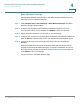
STEP 1 Click Interface Setup > LAN > Port Setting. The Port Setting window opens.
STEP 2 Specify the flow control and speed duplex settings as defined in the Port
Settings table. You can only configure these settings for LAN ports 1–4.
STEP 3 To view the port information, click any of the items in the Port List. The port
information is displayed in the Port Details table.
STEP 4 To edit a port entry, click the Edit (pencil) icon. The VLAN Port Settings window
opens.
STEP 5 Specify the port settings as defined in the Port Settings table.
STEP 6 Click Submit to save your settings.
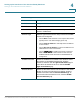
Port Settings
Field Description
Mode Describes the currently configured behavior of the port.
•
Desktop mode: Provides attached devices with access to
a single data VLAN for which the SRP provides DHCP
services. Incoming traffic from the host can be tagged or
untagged. Outgoing traffic to the host will be untagged.
• IP Phone + Desktop mode: The port is configured with a
data VLAN for native access and a voice VLAN for use
with an attached IP Phone. CDP is used to communicate
voice VLAN information to the phone.