
Specifications





2-702
Cisco SCE 8000 CLI Command Reference
Chapter 2 CLI Command Reference
traffic-rule ip addresses
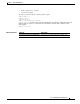
• network-side ports = all-but 200
• Direction = downstream
• Traffic counter = counter2
• Action = block
The actions performed will be counting and blocking.
SCE8000>enable 10
Password:<cisco>
SCE8000#config
SCE8000(config)#interface linecard 0
SCE8000(config if)# traffic-rule name rule2 ip-addresses subscriber-side all network-side
all-but 10.10.10.0/24 protocol tcp ports subscriber-side 100 network-side all-but 200
direction downstream traffic-counter name counter2 action block
SCE8000(config if)
Example 2
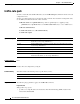
The following example shows how to create a traffic rule called rule3:
• Name = rule3
• IP addresses: all
• Protocol = IS-IS
• Direction = upstream
• Traffic counter = none
• Action = ignore (required because traffic-counter = none)
The only action performed will be ignore.
SCE8000>enable 10
Password:<cisco>
SCE8000#config
SCE8000(config)#interface linecard 0
SCE8000(config if)# traffic-rule name rule3 ip-addresses all protocol is-is direction
upstream traffic-counter name none action ignore
SCE8000(config if)
Example 3
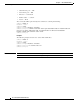
The following example shows how to delete all traffic rules:
SCE8000>enable 10
Password:<cisco>
SCE8000#config
SCE8000(config)#interface linecard 0
SCE8000(config if)# no traffic-rule all
SCE8000(config if)
Example 4
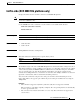
The following example shows how to configure a traffic rule that will be used as a recording rule using
the flow-capture option. All flows that match this rule will be recorded when the flow-capture process
is in operation.
• Name = FlowCaptureRule
• IP addresses: subscriber side = all IP addresses, network side = all IP addresses
• Direction = both
• Protocol = 250