
Specifications





2-513
Cisco SCE 8000 CLI Command Reference
Chapter 2 CLI Command Reference
show inventory
show inventory
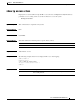
Displays UDI information for the Cisco SCE platform.
show inventory [raw]
Syntax Description
Command Default None
Command Modes User EXEC
Command History This table includes the following release-specific history entries:
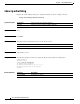
Usage Guidelines Use this command to display the following UDI information for the Cisco SCE platform:
• Device name
• Description
• Product identifier
• Version identifier
• Serial number
Authorization: viewer
Examples The following examples show output from this command.
Example 1
The following example shows how to display the UDI information for the Cisco SCE platform:
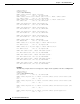
SCE8000>enable 5
Password:<cisco>
SCE8000>show inventory
NAME: "Chassis", DESCR: "Cisco SCE 2020 Service Control Engine, Multi Mode, 4-port GE"
PID: SCE2020-4XGBE-MM , VID: V01, SN: CAT093604K3
SCE8000>
Example 2
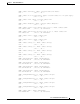
The following example shows how to display the inventory (UDIs) for the FRUs only:
raw Displays the complete inventory of the Cisco SCE platform.
When this keyword is not used, only field replaceable units (FRUs) are
displayed.
Release Modification
3.0.3 This command was introduced.