
Specifications




2-364
Cisco SCE 8000 CLI Command Reference
Chapter 2 CLI Command Reference
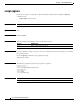
script capture
script capture
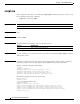
Begins the recording of a script. The command tracks all commands entered until the script stop
command is used.
script capture script-filename
Syntax Description
Command Default None
Command Modes Privileged EXEC
Command History This table includes the following release-specific history entries:
Usage Guidelines Use this command to capture a sequence of repeated commands into a file for the purpose of executing
the commands again.
Use the script stop command to stop capturing the script.
Authorization: admin
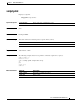
Examples The following example shows the script capture for script1.txt:
SCE8000>enable 10
Password:<cisco>
SCE8000#script capture script1.txt
SCE8000#cd log
SCE8000#cd..
SCE8000#pwd
SCE8000#script stop
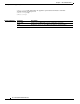
Related Commands
script-filename Name of the output file where the script is stored.
Release Modification
2.5.7 This command was introduced.
Command Description
script stop Stops script capture.