
Specifications






2-112
Cisco SCE 8000 CLI Command Reference
Chapter 2 CLI Command Reference
diameter
diameter
Starts the diameter stack.
To stop the stack, use the no form of this command.
To reset the stack to the default state (stopped), use the default form of this command.
diameter
no diameter
default diameter
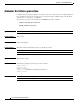
Syntax Description This command has no arguments or keywords.
Command Default Diameter stack is stopped.
Command Modes Global configuration
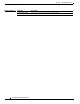
Command History This table includes the following release-specific history entries:
Usage Guidelines Stopping the stack using this command is a brute force shutdown. All messages and states may be lost.
Authorization: admin
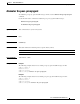
Examples The following example shows how to stop the stack.
SCE8000>enable 10
Password:<cisco>
SCE8000# configure
SCE8000(config)#no diameter
SCE8000(config)#
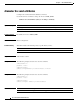
Related Commands
Release Modification
3.6.x This command was introduced.
Command Description
show diameter Displays the current diameter stack state.