
User Manual
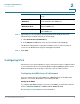

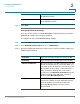
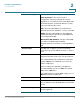

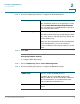
Table Of Contents
- Introduction
- Configuring Networking
- Configuring the Wireless Network
- Configuring the Firewall
- Configuring VPN
- Configuring Quality of Service (QoS)
- Administering Your Cisco RV110W
- Setting Password Complexity
- Configuring User Accounts
- Setting the Session Timeout Value
- Configuring Simple Network Management (SNMP)
- Using Diagnostic Tools
- Configuring Logging
- Configuring Bonjour
- Configuring Date and Time Settings
- Backing Up and Restoring the System
- Upgrading Firmware or Change the Language
- Restarting the Cisco RV110W
- Restoring the Factory Defaults
- Running the Setup Wizard
- Viewing the Cisco RV110W Status
- Using Cisco QuickVPN
- Where to Go From Here

Configuring Networking
Configuring Routing
Cisco RV110W Administration Guide 41
2
The router determines the network packets’ route based on the fewest number of
hops between the source and the destination. RIP is disabled by default.
NOTE RIP is disabled by default on the Cisco RV110W.
To configure dynamic routing:
STEP 1 Choose Networking > Routing.
STEP 2 Configure the following settings:
STEP 3 Click Save.
Configuring Static Routing
You can configure static routes to direct packets to the destination network. A
static route is a pre-determined pathway that a packet must travel to reach a
specific host or network.
Some ISPs require static routes to build your routing table instead of using
dynamic routing protocols. Static routes do not require CPU resources to
exchange routing information with a peer router.
You can also use static routes to reach peer routers that do not support dynamic
routing protocols. Static routes can be used together with dynamic routes. The
Cisco RV110W supports up to 30 static routes.
Be careful not to introduce routing loops in your network.
RIP Check Enable to enable RIP. This allows the
Cisco RV110W to use RIP to route traffic.
RIP Send Packet Version Select the RIP Send Packet Version (RIPv1 or
RIPv2).
The version of RIP used to send routing updates to
other routers on the network depends on the
configuration settings of the other routers. RIPv2 is
backward compatible with RIPv1.
RIP Recv Packet Version Choose the RIP Receive Packet Version.