
User Manual
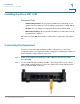
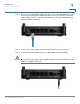

Table Of Contents
- Introduction
- Configuring Networking
- Configuring the Wireless Network
- Configuring the Firewall
- Configuring VPN
- Configuring Quality of Service (QoS)
- Administering Your Cisco RV110W
- Setting Password Complexity
- Configuring User Accounts
- Setting the Session Timeout Value
- Configuring Simple Network Management (SNMP)
- Using Diagnostic Tools
- Configuring Logging
- Configuring Bonjour
- Configuring Date and Time Settings
- Backing Up and Restoring the System
- Upgrading Firmware or Change the Language
- Restarting the Cisco RV110W
- Restoring the Factory Defaults
- Running the Setup Wizard
- Viewing the Cisco RV110W Status
- Using Cisco QuickVPN
- Where to Go From Here
Introduction
Connecting the Equipment
Cisco RV110W Administration Guide 14
1
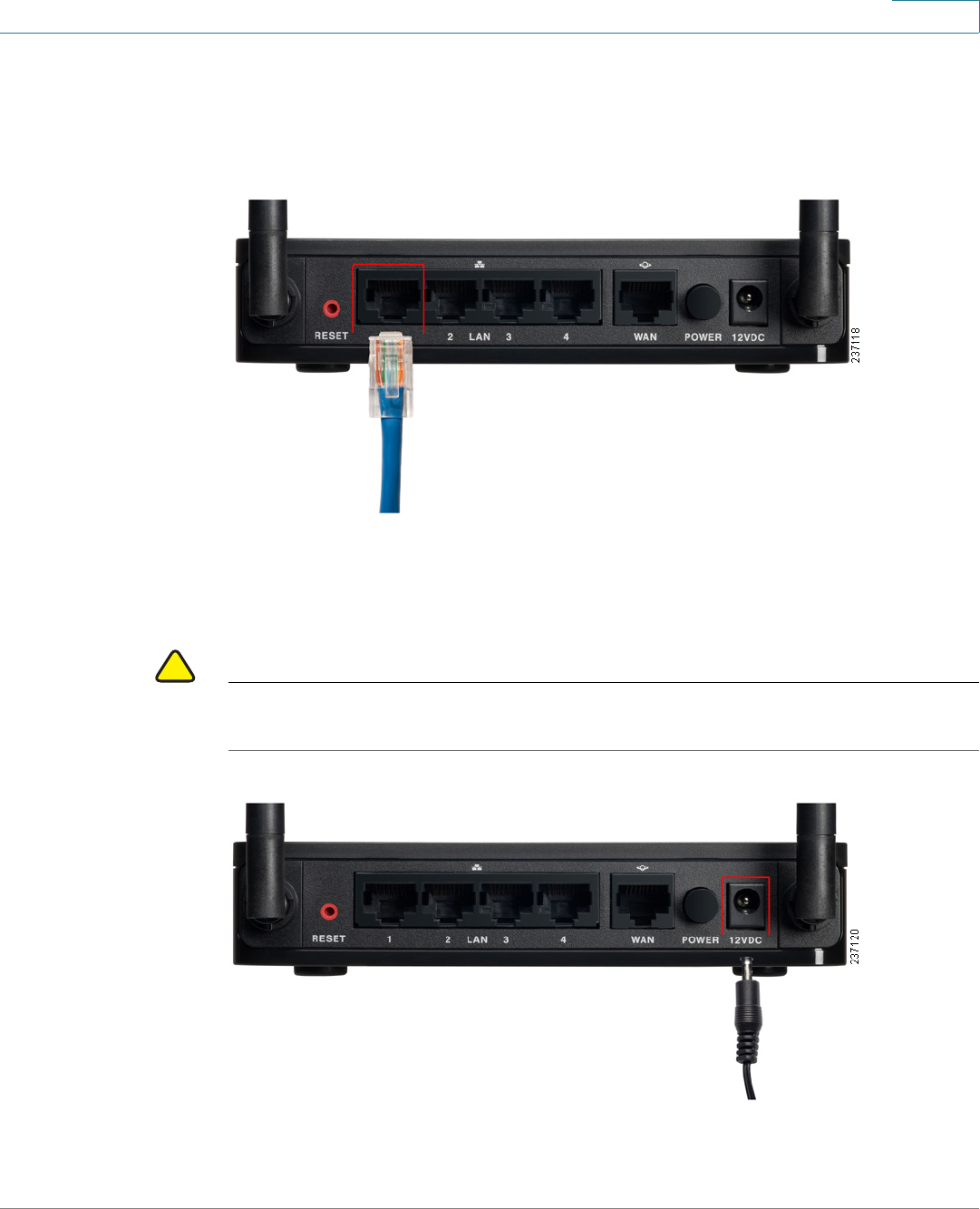
STEP 3 Connect one end of a different Ethernet cable to one of the LAN (Ethernet) ports on
the back of the unit. (In this example, the LAN 1 port is used.) Connect the other
end to an Ethernet port on the PC that you will use to run the web-based Setup
Wizard and Device Manager.
STEP 4 Power on the cable or DSL modem and wait until the connection is active.
STEP 5 Connect the power adapter to the Cisco RV110W power port (12VDC).
!
CAUTION Use only the power adapter that is supplied with the unit. Using a different power
adapter could damage the unit.