
User Manual
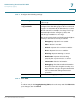
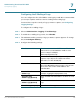
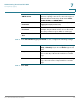
Table Of Contents
- Introduction
- Configuring Networking
- Configuring the Wireless Network
- Configuring the Firewall
- Configuring VPN
- Configuring Quality of Service (QoS)
- Administering Your Cisco RV110W
- Setting Password Complexity
- Configuring User Accounts
- Setting the Session Timeout Value
- Configuring Simple Network Management (SNMP)
- Using Diagnostic Tools
- Configuring Logging
- Configuring Bonjour
- Configuring Date and Time Settings
- Backing Up and Restoring the System
- Upgrading Firmware or Change the Language
- Restarting the Cisco RV110W
- Restoring the Factory Defaults
- Running the Setup Wizard
- Viewing the Cisco RV110W Status
- Using Cisco QuickVPN
- Where to Go From Here

Administering Your Cisco RV110W
Configuring Simple Network Management (SNMP)
Cisco RV110W Administration Guide 121
7
STEP 3 Click Save.
Configuring the SNMP Traps
The fields in the SNMP Trap Configuration section allow you to configure an
SNMP agent to which the firewall sends trap messages (notifications).
To configure the traps:
STEP 1 Choose Administration > SNMP.
STEP 2 Under Trap Configuration, configure the following settings:
Security Level Choose the SNMPv3 security level:
No Authentication and No Privilege—Doesn't
require any Authentication and Privacy.
Authentication and No Privilege—Submit only
Authentication algorithm and password.
Authentication and Privilege—Submit
Authentication/privacy algorithm and password.
Authentication
Algorithm Server
Select the type of authentication algorithm (MD5 or
SHA).
Authentication
Password
Enter the authentication password.
Privacy Algorithm Choose the type of privacy algorithm (DES or AES).
Privacy Password Enter the privacy password.
IP Address Enter the IP address of the SNMP manager or trap
agent.
Port Enter the SNMP trap port of the IP address to
which the trap messages will be sent.