
User Manual
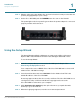

Table Of Contents
- Introduction
- Configuring Networking
- Configuring the Wireless Network
- Configuring the Firewall
- Configuring VPN
- Configuring Quality of Service (QoS)
- Administering Your Cisco RV110W
- Setting Password Complexity
- Configuring User Accounts
- Setting the Session Timeout Value
- Configuring Simple Network Management (SNMP)
- Using Diagnostic Tools
- Configuring Logging
- Configuring Bonjour
- Configuring Date and Time Settings
- Backing Up and Restoring the System
- Upgrading Firmware or Change the Language
- Restarting the Cisco RV110W
- Restoring the Factory Defaults
- Running the Setup Wizard
- Viewing the Cisco RV110W Status
- Using Cisco QuickVPN
- Where to Go From Here

Introduction
Getting to Know the Cisco RV110W
Cisco RV110W Administration Guide 11
1
WAN The WAN (Internet) light is green when the
Cisco RV110W is connected to the Internet through
your cable or DSL modem. The light is off when the
Cisco RV110W is not connected to the Internet. The
light flashes green when it is sending or receiving data
Wireless The Wireless light is green when the wireless module is
enabled. The light is off when the wireless module is
disabled. The light flashes green when the firewall is
transmitting or receiving data on the wireless module.
LAN Ports The numbered lights correspond to the LAN ports on
the Cisco RV110W.
If the lights are continuously green, the Cisco RV110W
is connected to a device through the corresponding
port (1, 2, 3, or 4). The light for a port flashes green when
the firewall is actively sending or receiving data over
that port.
Power The Power light is green to indicate the unit is powered
on. The light flashes green when the power is coming
on.