
Operation Manual

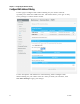


Configure Wireless Settings
TP-00100 33
Field Description
SSID
Click the SSID drop-down arrow to select the SSID to which
you would like to apply the filtered clients:
Allow All- allow access to all the clients included in WiFi
Control List
Allow- allow access to the selected clients in WiFi Control
List
Deny- deny access to the selected clients in WiFi Control
List
Auto-Learned Wi-Fi
Devices
Check the box next to each connected device that you want to
add to the list of devices.
Manually-Added WiFi
Devices
Device Name
Enter the name of the device in the Device Name field.
Manually-Added WiFi
Devices
MAC Address
Ente
r the wireless interface MAC address of the device in the
MAC Address fields.
Click ADD. The WiFi client is added to the WiFi Control List.