
Operation Manual


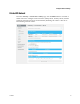


Configure Wireless Settings
TP-00100 29
Field Label Description
Mode
Choose one of these options for the network mode:
802.11 n
802.11 g/n
802.11 b/g/n
Important: When TKIP authentication only is selected, B/G/N
Mixed network mode is not available.
Security Mode
Choose one of these options for the security mode:
Open (risky)
WEP 64-bit (5 Ascii characters or 10 Hex digits)
WEP 128-bit (13 Ascii characters or 26 Hex digits)
WPA2-PSK(AES) (8 to 63 Ascii characters or 64 Hex digits)
WPAWPA2-PSK(TKIP/A ES) recommended (8 to 63 Ascii
characters or 64 Hex digits)
Note: Not all wireless adapters support WPA2. WPA is
supported across a wider range of devices. Make sure to use a
"strong" passphrase. A strong passphrase is a string of random
characters at least 21 characters in length.
Channel Selection
Automatic. Select Automatic (factory default) to have channel
selected for you.
Manual. Select Manual to select channels from the Channel
field.
Channel
When the Manual option is chosen for Channel Selection, use
this field to select a channel from 1 through 11.
Note: Only channels 1, 6 and 11 are non-overlapping channels.
Network Password
Depending upon Security Mode selected, the Network
Password can have different requirements. The factory-set
password value can be found on the label located on the
bottom of your Wireless Gateway.
Show Network
Password
To make the Network Password become visible to the user or
not. Every time the page is opened, this box is unchecked for
security reasons.
Broadcast Network
Name (SSID)
When this box is checked (factory default), the Wireless
Gateway transmits or advertises its presence to other wireless
devices. Client devices can automatically detect the access
point when this is enabled.
If you want to hide your network from wireless clients, leave
this box unselected. When your network is hidden, you will
need to configure each of your wireless client devices
manually.