
Administrator's Guide





Setting up an integrated installation 41
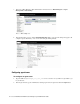
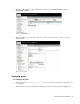
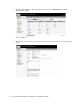
10. Click the Finish button to save the settings for the machine.
Click the Finish button
Configuring multichannel controller server
To configure a multichannel controller server:
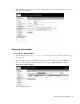
1. Type the URL
https://
Unified_SCCE_Server_Name
/uiroot/default/ipccAdmin/loginAdmin.jsp
in your browser.
2. In the Login window, type the Administrator desktop login name and password. Click the Login button.