
Administrator's Guide






30 Cisco Unified Web and E-Mail Interaction Manager System Administration Guide
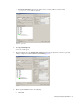
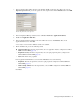
8. On the Route tab, in the Name field provide the name for the route and click Save.
Provide the name of the route
To configure a non-IPTA skill group:
1. Go to Start > All Programs > ICM Admin Workstation > Configuration Manager.
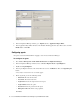
2. In the Configuration Manager window, browse to Tools > Explorer Tools > Skill Group Explorer.
3. Double-click Skill Group Explorer.
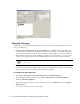
4. In the Skill Group Explorer window, in the Select filter data section, click Retrieve. Then, click [1]Add
Skill group button.
A new entry is created and a new set of tabs appear.
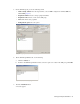
5. On the Skill Group tab, provide the following details:
Media Routing Domain: From the dropdown list, select an MRD configured for Unified WIM and
Unified EIM (page 14).
Peripheral Name: Provide a name for the skill group.
Name: This field is auto-populated.
ICM picks the agent: Clear the option.
Click Save.